Azure/Adding User To Subscription
Jump to navigation
Jump to search
Adding a User to the Subscription[edit | edit source]
- Login to Azure Portal https://portal.azure.com
- Go to Subscriptions. https://portal.azure.com/#@ventureresearch.onmicrosoft.com/resource/subscriptions/577187ea-a2cd-4ab0-a611-bdbbc659a10a/overview
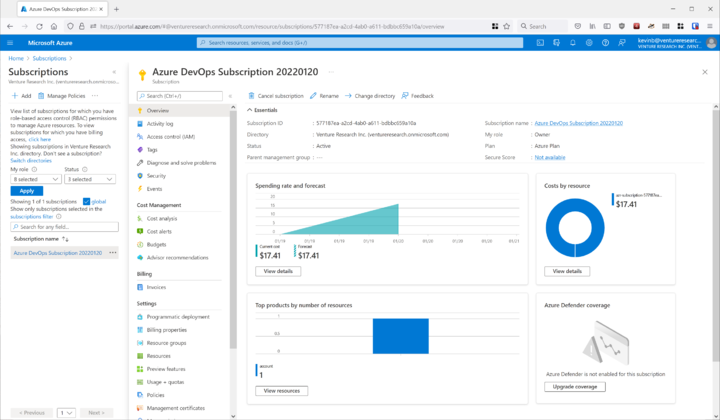
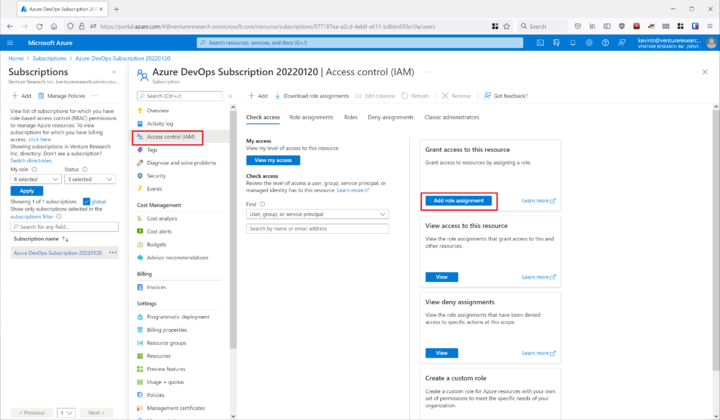
- Select Access Control (IAM), then 'Add role assignment.'
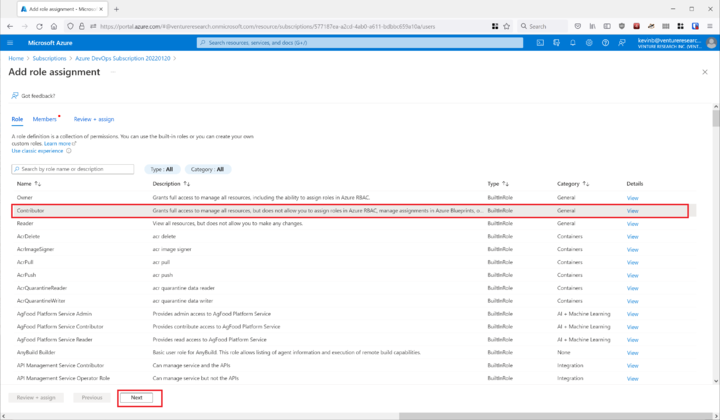
- Select 'Contributor' then hit 'Next'.
- Click 'Select members', then search for the user you want to add, then hit 'Select'.
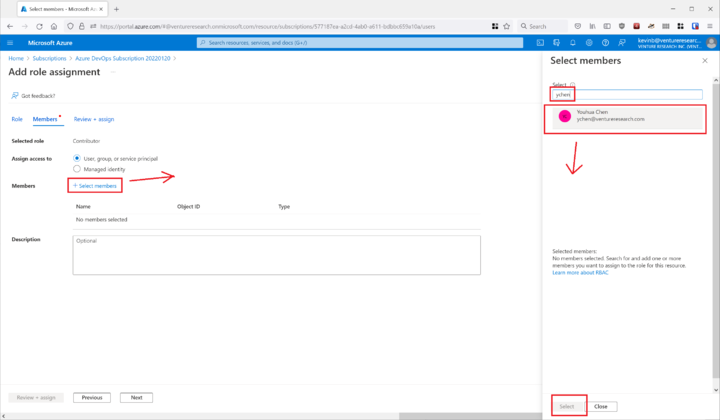
- Hit 'Review and Assign' if everything looks correct.
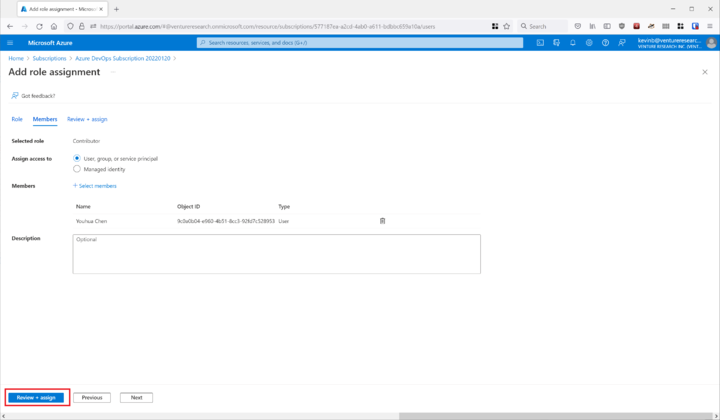
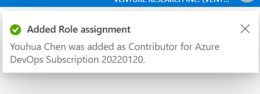
- The user is now added to the Subscription.